How to Run Ads on ChatGPT in 2026: A Complete Beginner's Guide
ChatGPT is changing how people research and buy. Here is a step-by-step beginner's guide to running ChatGPT Ads in 2026, covering objectives, budgets, context hints, conversion tracking and what it actually costs.
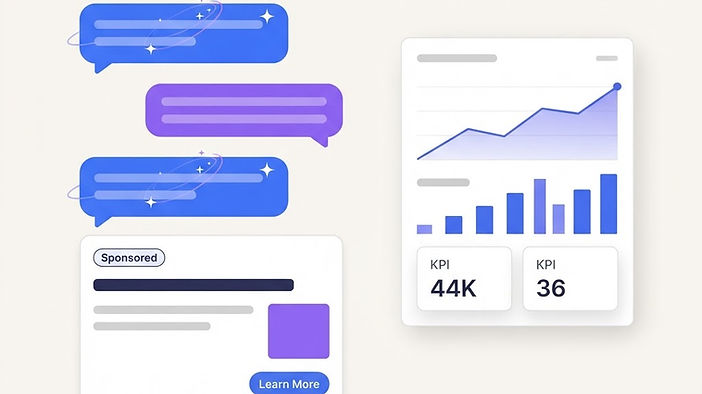
ChatGPT is changing how people search for information, discover products and make buying decisions. Instead of searching for a few keywords on Google, people can ask detailed questions, compare different options and get personalised suggestions through a conversation.
For businesses, this creates a new advertising opportunity.
With ChatGPT Ads, you can promote your products or services to people while they are exploring topics related to your business. And the best part? You no longer need a huge advertising budget to get started.
But how do you actually run ads on ChatGPT?
In this guide, we'll explain how to run ads on ChatGPT step by step, including how the platform works, how much advertising costs, how to target the right audience and how to measure your results.
Whether you're a business owner, digital marketer or agency, this guide will help you understand how to get started with ChatGPT advertising in 2026.
What Are ChatGPT Ads?
ChatGPT Ads are paid advertisements that can appear below ChatGPT responses when they are relevant to a user's conversation.
They allow businesses to promote products and services while people are researching information, comparing alternatives or deciding what to buy.
For example, imagine someone asks ChatGPT:
"What's the best project management software for a small business?"
ChatGPT might explain the available options and what features to look for.
Below the response, the user may see a sponsored advertisement from a project management software company.
The ad is clearly labelled as sponsored and remains separate from ChatGPT's answer.
This is an important difference: businesses can pay to advertise in ChatGPT, but they cannot pay to influence the answers ChatGPT generates.
ChatGPT advertising gives brands an opportunity to reach potential customers during the research and decision-making process.
How Do ChatGPT Ads Work?
ChatGPT Ads work differently from traditional search advertising.
On Google Ads, advertisers often select keywords that people might search for.
On ChatGPT, advertising focuses more on the meaning and context of conversations.
For example, someone might ask:
- "Which CRM is best for a small business?"
- "How can I manage customer enquiries automatically?"
- "What tools can help my sales team save time?"
Although these questions are different, they may all indicate an interest in customer relationship management software.
ChatGPT's advertising system considers signals such as the conversation's topic, the ad's message, its landing page and the advertiser's targeting settings.
Advertisers can also provide context hints to explain when their products or services may be useful.
However, context hints do not guarantee that an ad will appear for a particular question.
Where Do Ads Appear in ChatGPT?
ChatGPT Ads can appear beneath responses, visually separated from the main answer.
A typical advertisement may include:
- Business name and logo
- Ad headline
- Short description
- Product or service image
- Link to the advertiser's website
Users can click an ad to learn more about the advertised product or service.
OpenAI is also testing additional advertising experiences, so available formats may change as the platform develops.
Can You Run Ads on ChatGPT in the UK?
Yes. ChatGPT Ads Manager supports self-service advertising for businesses based in the United Kingdom.
Businesses in supported countries can create campaigns through OpenAI's advertising platform at ads.openai.com.
ChatGPT Ads may reach eligible adults using ChatGPT's Free and Go plans.
Users on Plus, Pro, Business, Enterprise and Edu plans do not receive these ads. Accounts identified as belonging to people under 18 are also excluded.
Before creating an account, check the latest country availability and advertising policies, as access and eligibility can change.
How to Run Ads on ChatGPT: Step-by-Step
Setting up your first ChatGPT advertising campaign is similar to creating campaigns on other advertising platforms, but there are some important differences.
Here are the 10 steps to get started.
Step 1: Create Your ChatGPT Ads Manager Account
The first step is to register for OpenAI's advertising platform.
Visit ads.openai.com and start the account creation process.
You can sign in using an existing OpenAI account or create a new one with your business email address.
During account setup, you may need to provide information such as your business name, website, contact details, logo and billing information.
You may also need to complete advertiser verification before your campaigns can run.
If you're managing advertisements for a client, it's generally better for the client to own the advertising account and give you the appropriate access.
Once your account is approved and billing is ready, you can start creating campaigns.
Step 2: Choose Your Advertising Objective
Before creating an ad, decide what you want to achieve.
Are you trying to increase brand awareness, attract visitors to your website or generate more enquiries?
ChatGPT Ads Manager supports different campaign objectives.
| Campaign objective | What it does | Best suited for |
|---|---|---|
| Views | Focuses on getting your ads seen | Brand awareness |
| Clicks | Encourages people to visit your website | Website traffic |
| Conversions | Optimises towards a selected action | Leads, sign-ups or sales |
Views campaigns typically use CPM pricing, meaning you pay per 1,000 impressions.
Clicks campaigns use CPC pricing, where you pay for valid clicks.
Conversion campaigns can support optimised click-based or impression-based billing, depending on the available settings. You are not charged a fixed fee for each conversion.
Step 3: Set Your Campaign Budget
One of the first questions businesses ask is: How much does it cost to advertise on ChatGPT?
There is no fixed price for every ad. Costs depend on factors such as your bidding strategy, competition and how relevant your advertisement is.
According to OpenAI's published campaign requirements, the minimum daily budget for accounts billed in GBP is £15 per day. For accounts billed in USD, it is $25 per day.
OpenAI also suggests an initial maximum CPC bid of around $3–$5 for click campaigns, but that is bidding guidance rather than a guaranteed cost per click.
For example, a UK business could test ChatGPT advertising with:
- Daily budget: £20
- Test duration: 14 days
- Planned advertising budget: £280
This would give the business a starting point for collecting performance data.
Remember that a daily budget is an average. Actual spending can be higher or lower on individual days within OpenAI's spending rules.
If you need a fixed maximum budget for the entire test, consider using a campaign-total budget.
The important thing is to start with an amount you can afford to test, rather than spending heavily before understanding the results.
Step 4: Choose Your Target Audience and Location
Now it's time to decide where your advertisements should appear.
ChatGPT Ads allows advertisers to select supported geographic locations, along with other available delivery settings.
Depending on your account and market, you may be able to target specific countries, regions, cities or postcodes.
For example, if you offer accounting services only in London, you should use the available location controls to focus on the areas you serve.
Some campaigns can also use custom audiences based on eligible first-party customer data.
However, ChatGPT doesn't provide the same traditional keyword and demographic targeting options that advertisers may be familiar with from Google or Meta.
Instead, relevance plays a significant role in deciding which ads may appear.
This is where context hints become important.
Step 5: Create Ad Groups and Add Context Hints
This is one of the most important parts of ChatGPT advertising.
A context hint is a short description that tells OpenAI more about your product, who it helps and when it might be useful.
Unlike traditional keywords, context hints help the platform understand relevant situations.
Let's look at an example.
Imagine you're advertising an appointment booking tool for small businesses.
A broad context hint might be:
"Appointment booking software."
A more useful context hint would be:
"Online appointment booking software for small service businesses that want customers to book meetings without calling or emailing."
The second example explains the product, audience and customer need.
Here are a few more examples:
| Business | Example context hint |
|---|---|
| Digital marketing agency | Digital marketing support for small UK businesses looking to generate leads through paid advertising |
| CRM software | CRM platform for growing sales teams that need to organise enquiries and automate follow-ups |
| Online course | Beginner-friendly digital marketing training for professionals learning SEO and paid advertising |
| Website design agency | Website design services for small businesses that need a professional site to attract enquiries |
The goal is to describe when your offer genuinely helps someone.
OpenAI recommends writing clear, specific and natural context hints. They should add useful information beyond what's already obvious from the ad.
You can create different ad groups for different products, services or customer needs.
For example, a marketing agency might create separate ad groups for SEO services, PPC management and website development.
This helps keep each advertisement relevant to its intended audience.
Step 6: Create Your ChatGPT Advertisement
Once your campaign and ad groups are ready, it's time to create the actual advertisement.
A standard ChatGPT ad includes a headline, description, image and destination URL.
According to OpenAI's creative guidelines:
- The headline can have up to 50 characters.
- The description can have up to 100 characters.
- OpenAI recommends shorter headlines and descriptions where possible.
- Images should be square JPG or PNG files, with a maximum size of 1,200 × 1,200 pixels.
Your advertisement should be simple, relevant and easy to understand.
Avoid complicated marketing language or exaggerated claims.
For example, let's say you're promoting CRM software.
Ad headline: Manage Leads in One Place
Ad description: Keep track of customer enquiries, follow-ups and sales with an easy-to-use CRM.
Call to action: Learn More
Landing page: Your CRM product page.
The headline explains the main benefit, while the description gives users a reason to click.
You can create several variations to test different messages.
For example, one ad might highlight time savings, while another focuses on organising customer information.
The best-performing message will depend on your audience and offer.
Step 7: Choose the Right Landing Page
Creating a good advertisement is only half the job.
The page people visit after clicking your ad is just as important.
Your landing page should match the product, service or solution mentioned in your advertisement.
For example, if someone clicks an ad promoting SEO services, they should land on a relevant SEO service page rather than a general homepage.
A good landing page should have:
- A clear headline explaining the offer
- A simple description of the benefits
- Relevant images or examples
- Trust signals, such as genuine testimonials
- A clear next step, such as booking a consultation or signing up
The page should also load quickly and work properly on mobile devices.
Avoid sending users to an unrelated page or making them search for the information promised in your advertisement.
The easier you make the next step, the better your chances of turning visitors into customers.
Step 8: Set Up Conversion Tracking
Before launching your campaign, make sure you can measure the results.
Getting clicks is useful, but clicks alone don't tell you whether your advertising is profitable.
For example, if you spend £200 on ads and receive 100 visitors, you'll know how much traffic you generated.
But how many people submitted a form, booked a call or purchased something?
That's what conversion tracking helps you understand.
ChatGPT Ads supports the OpenAI Pixel and Conversions API for recording supported actions after ad clicks.
You can use these tools to measure actions such as:
- Contact form submissions
- Account registrations
- Product purchases
- Qualified enquiries
- Other supported conversion events
You should also add UTM tracking parameters to your advertisement links so you can analyse the traffic in Google Analytics 4.
For example, a tagged URL might look like this:
https://example.com/service?utm_source=chatgpt&utm_medium=paid&utm_campaign=lead_generation
Before launching your campaign, test the full customer journey to make sure your conversion events are being recorded correctly.
Also ensure your tracking setup follows the privacy and consent requirements relevant to your business.
Step 9: Review and Launch Your Campaign
You're almost ready to launch your first ChatGPT ad.
Before submitting it, review everything carefully.
Check that your campaign has the correct objective, budget, locations, ad groups and context hints.
Make sure your headline and description are accurate, your images meet the requirements and every destination link works.
It's also important to review OpenAI's advertising policies to make sure your business and ad content are allowed.
After submission, your advertisements will go through a review process.
Once they are approved and the account requirements are complete, your campaign can start running.
You can check campaign delivery and approval status inside Ads Manager.
Step 10: Monitor and Optimise Your Ads
Launching an advertisement is only the beginning.
Once your campaign starts receiving traffic, you need to understand what works and what doesn't.
ChatGPT Ads Manager provides performance metrics such as impressions, clicks, advertising spend, click-through rate, average CPC, average CPM and tracked conversions.
Pay attention to the metrics that relate to your actual business goal.
For example, if your goal is generating enquiries, cost per qualified lead will usually tell you more than impressions alone.
You can improve your campaigns by testing:
- Different headlines and descriptions
- More specific context hints
- Different customer needs or use cases
- Alternative landing pages
- Different bids and budgets
Try changing one major element at a time. This makes it easier to understand what may have improved or reduced performance.
Avoid increasing your advertising budget simply because an ad receives lots of clicks.
Focus on the quality of visitors and the business results they generate.
How Much Do ChatGPT Ads Cost in 2026?
ChatGPT advertising costs vary depending on the campaign objective, competition, bidding method and ad relevance.
Here's a simple overview.
| Cost factor | What to know |
|---|---|
| UK minimum daily budget | £15 for GBP-billed accounts |
| US minimum daily budget | $25 for USD-billed accounts |
| CPC bidding | Pay for valid clicks |
| CPM bidding | Pay for 1,000 impressions |
| Suggested starting max CPC | Around $3–$5, according to OpenAI |
| Actual cost per conversion | Depends on your traffic and conversion performance |
Early advertiser reports published by Search Engine Land in August 2026 observed average CPCs of around $2–$5 across campaigns. However, these are early observations, not guaranteed industry benchmarks.
Example: What Could a £300 ChatGPT Ads Budget Deliver?
Imagine you're running a campaign with a total budget of £300.
For illustration, assume:
- Average cost per click: £3
- Estimated visitors: 100
- Website conversion rate: 3%
- Estimated conversions: 3
Under those assumptions, your cost per conversion would be £100.
These are hypothetical figures, not a prediction of what ChatGPT Ads will deliver.
If your business earns £500 in profit from each new customer, that cost could be attractive. If you earn only £20 per customer, the same results may not be profitable.
That's why it's important to understand your customer value before scaling your campaign.
ChatGPT Ads vs Google Ads vs Meta Ads
If you're already using Google Ads or Meta Ads, you may be wondering whether ChatGPT advertising is worth adding to your marketing strategy.
Each platform helps businesses connect with customers in a different way.
| Feature | ChatGPT Ads | Google Search Ads | Meta Ads |
|---|---|---|---|
| Main approach | Conversational relevance | Search intent | Audience and interest signals |
| Discovery | During conversations | During searches | While browsing social feeds |
| Traditional keyword targeting | No | Yes | No |
| Main opportunity | Research and consideration | Capturing search demand | Awareness and demand generation |
| Performance history | Emerging | Established | Established |
When Should You Use ChatGPT Ads?
ChatGPT advertising may be particularly interesting for products and services that people research before buying.
For example, software platforms, online education providers, business services and products with several options to compare may benefit from appearing during relevant conversations.
However, this doesn't mean ChatGPT Ads will automatically outperform Google or Meta.
Search Engine Land published an early comparison in which Google Ads traffic generated stronger engagement and conversion rates than ChatGPT Ads traffic for one website.
That result does not prove that Google Ads will always perform better. It shows why businesses should test new channels carefully instead of assuming they'll deliver immediate results.
For most businesses, ChatGPT Ads should be treated as an additional marketing channel rather than a replacement for existing campaigns.
Common Mistakes to Avoid When Running ChatGPT Ads
Even a well-designed campaign can waste money if the basics are wrong.
Here are some common mistakes to avoid.
Using Very Broad Context Hints
If your context hints are too general, they may not clearly explain when your product is useful.
Be specific about the customer need your offer addresses.
Sending Visitors to an Irrelevant Page
If your ad promotes a particular service, send people directly to the page for that service.
Don't make visitors search your website to find what they expected.
Running Ads Without Conversion Tracking
Without tracking, you may know how much you've spent but have no clear idea whether you're generating customers.
Set up measurement before launching.
Testing Too Many Things at Once
Changing your budget, targeting guidance, creative and landing page at the same time makes it difficult to know what improved performance.
Test changes in a controlled way.
Expecting Immediate Results
ChatGPT advertising is still developing. Your first campaign may need adjustments before it produces useful results.
Give your test enough time and budget to collect meaningful data, while keeping spending within your limits.
Is Advertising on ChatGPT Worth It?
ChatGPT Ads offers businesses a new way to connect with people during the research and decision-making process.
Instead of relying only on someone typing a specific keyword, advertisers can reach relevant conversations about problems their products or services solve.
This creates an opportunity to introduce your brand before a customer has decided which business to choose.
However, the platform is still relatively new, and long-term performance benchmarks are limited.
Whether it's worth investing in depends on your audience, product, advertising budget and ability to turn visitors into customers.
If you're already getting good results from Google Ads or Meta Ads, consider testing ChatGPT advertising with a small, controlled budget rather than moving all your spending to a new platform.
Measure the results, compare acquisition costs and scale only when the numbers support it.
Frequently Asked Questions About ChatGPT Ads
Final Thoughts
ChatGPT advertising is an exciting development in digital marketing, but successful campaigns still depend on the fundamentals.
You need to understand your audience, explain the value of your offer, create relevant advertisements and measure what happens after someone clicks.
The biggest difference is how ChatGPT connects advertisements with conversations.
Instead of relying on traditional keywords alone, the platform can consider what people are discussing and which products or services may be relevant to their needs.
If you're planning to run ads on ChatGPT in 2026, start with one clear offer, create focused context hints, set a manageable budget and track your conversions from day one.
At Digifying, we believe the best digital marketing strategies are built around understanding customer intent, testing new opportunities and making decisions based on real performance data.
ChatGPT Ads is another channel worth exploring as part of that approach.
Ready to explore ChatGPT advertising? Start by reviewing the official OpenAI Ads Manager and building a small, measurable test campaign.